

Stock and adjustments
See what's on every shelf, and correct a count with a reason that stays on the record.
What it does
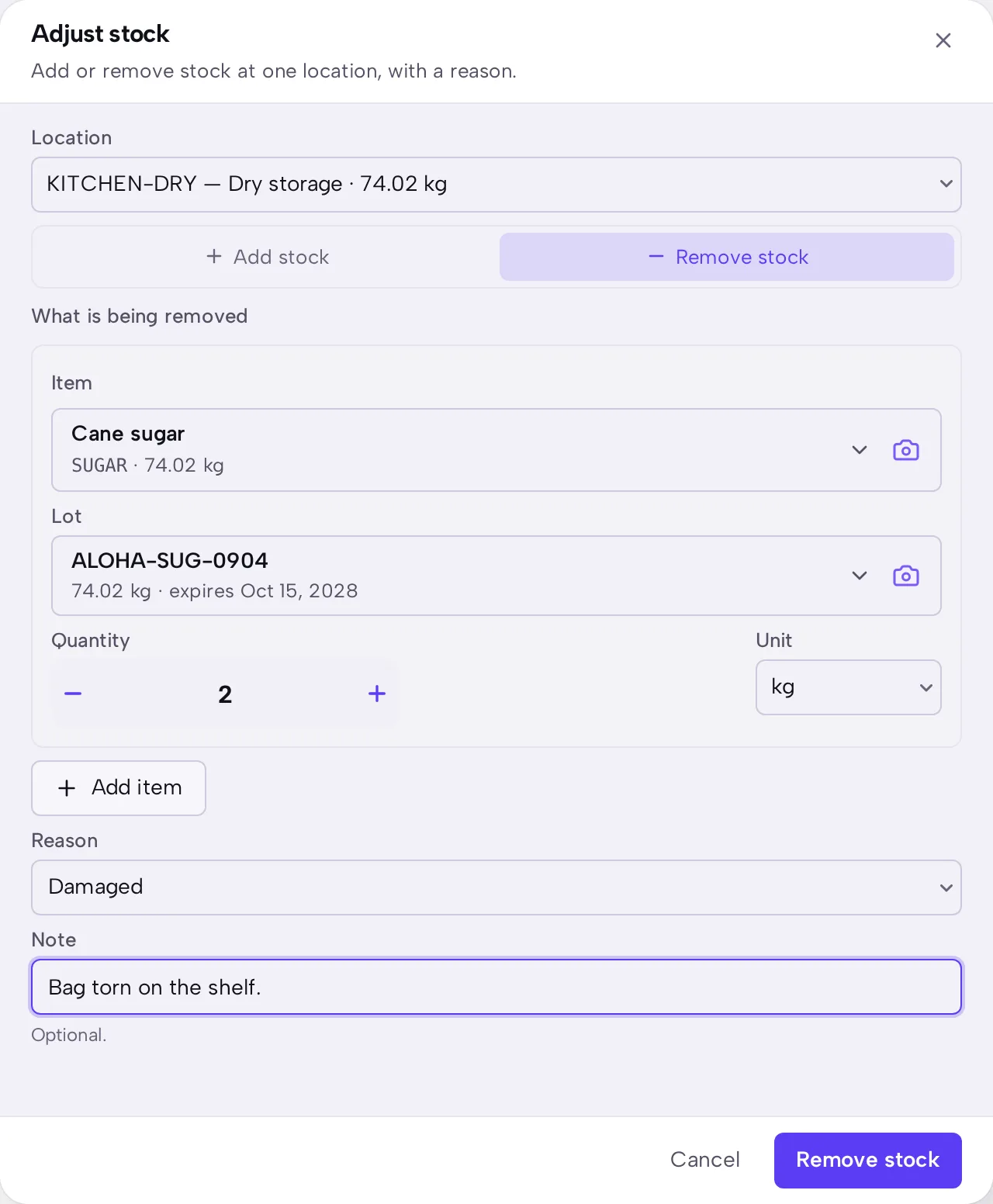
Stock lists what's on each shelf, by lot where an item has lots. Adjust stock adds or removes stock at one location, and it always records a reason.
When to use it
Adjust stock to enter an opening balance, to record something found, or to write off something damaged. Use a count when you're checking a whole shelf.
Before you start
Steps
- Open Stock, then press Adjust stock.
- Choose the Location.
- Choose Add stock or Remove stock.
- Choose the Item, then enter the Quantity.
- Choose a Reason, and add a Note if it will help somebody later.
- Press Add stock or Remove stock at the foot of the sheet.
What you should see
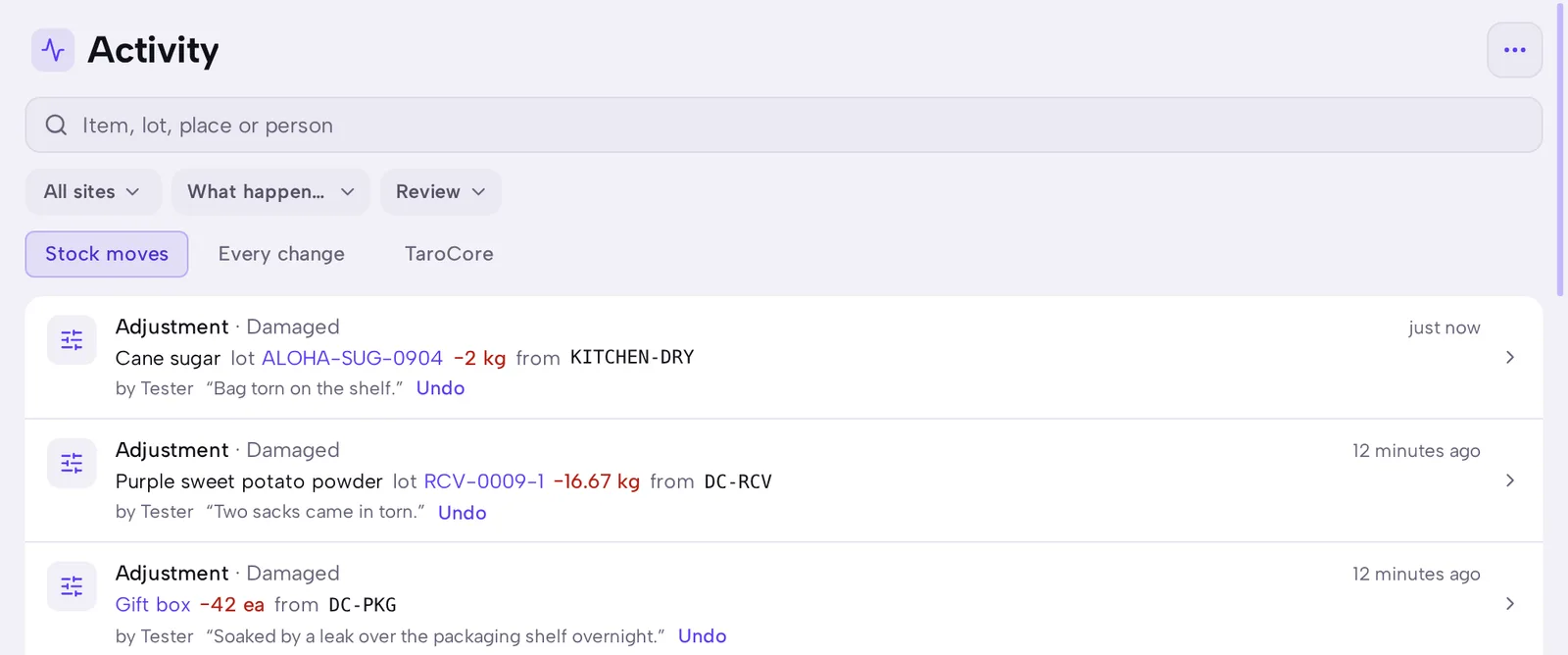
The shelf's quantity changes in Stock straight away. Activity shows the move, who made it, the reason and the note, with Undo beside it.
Good to know
Undo puts the stock back and keeps both moves on the record. Nothing is deleted.
Stock on a shelf can go below zero only if Allow stock to go below zero is on. See Stock and purchasing rules.
A return from a customer belongs on its shipment, not in an adjustment. See Customer returns.