

Traceability and recalls
From any lot, see where it came from, what it became and who received it.
What it does
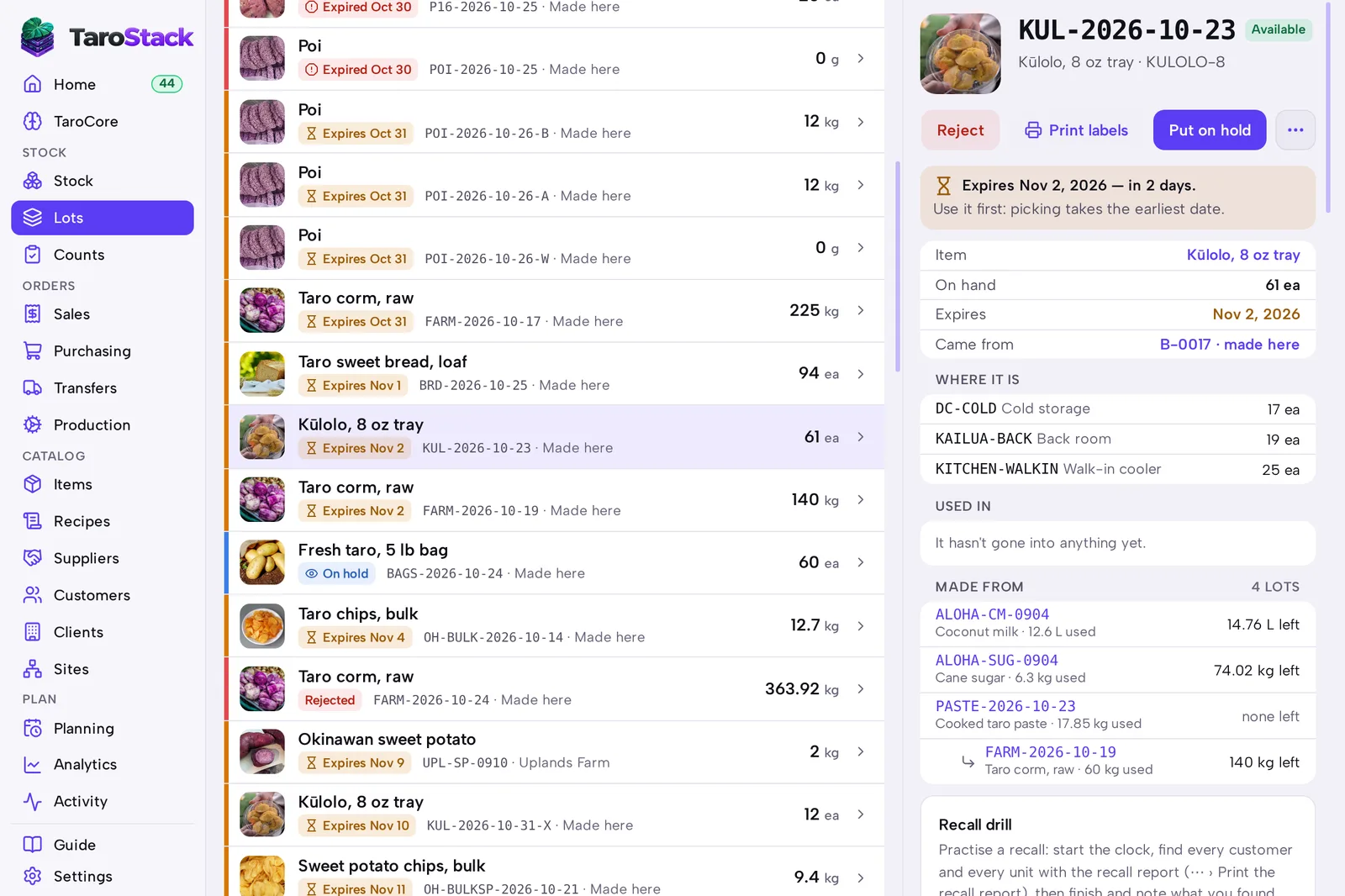
Every lot keeps its history. The recall report puts four answers on one page: where the lot came from, what it became, who received it, and what's still on your shelves.
When to use it
Use it when a supplier warns you about a lot, when a customer reports a problem, or when an auditor asks for proof. Run a drill so you know the process works before you need it.
Before you start
The item is tracked by lot. History starts when lots do.
Steps
- Open Lots and open the lot.
- Press Put on hold, say why, and press Put on hold again. This stops the stock moving while you work.
- Press More, then choose Print the recall report.
- Contact each customer listed. You can download the customers as a spreadsheet from the same menu.
- To practice, press Start a recall drill on the lot, work through the report, then finish the drill and note what you found.
What you should see
The report lists the source delivery or batch, each lot made from this one, each customer who received it with their phone and email, and what remains and where. It carries the time it was prepared.
Good to know
The hold is what stops stock moving. The report is only a record of that moment, so hold the lot first.
A return recorded from its shipment goes back into the same lot, which keeps the report correct. An adjustment doesn't. See Customer returns.
TaroCore can answer too. Ask "which customers got lot KUL-0912?", using your lot's code.