

Activity
Everything that happened, who did it and why, with an Undo where it can be undone.
What it does
Activity is the record of what happened in your business. It lists each stock move and change, who made it, when, and any note they left.
When to use it
Use it when a number looks wrong, when you need to know who changed something, or when you want to undo a mistake.
Before you start
Nothing has to exist first. Activity starts with your first recorded move.
Steps
- Open Activity.
- Choose a view: What happened, Review, Stock moves, Every change or TaroCore.
- Filter by site, or search by item, lot, place or person.
- Press Undo on a line if you need to reverse it.
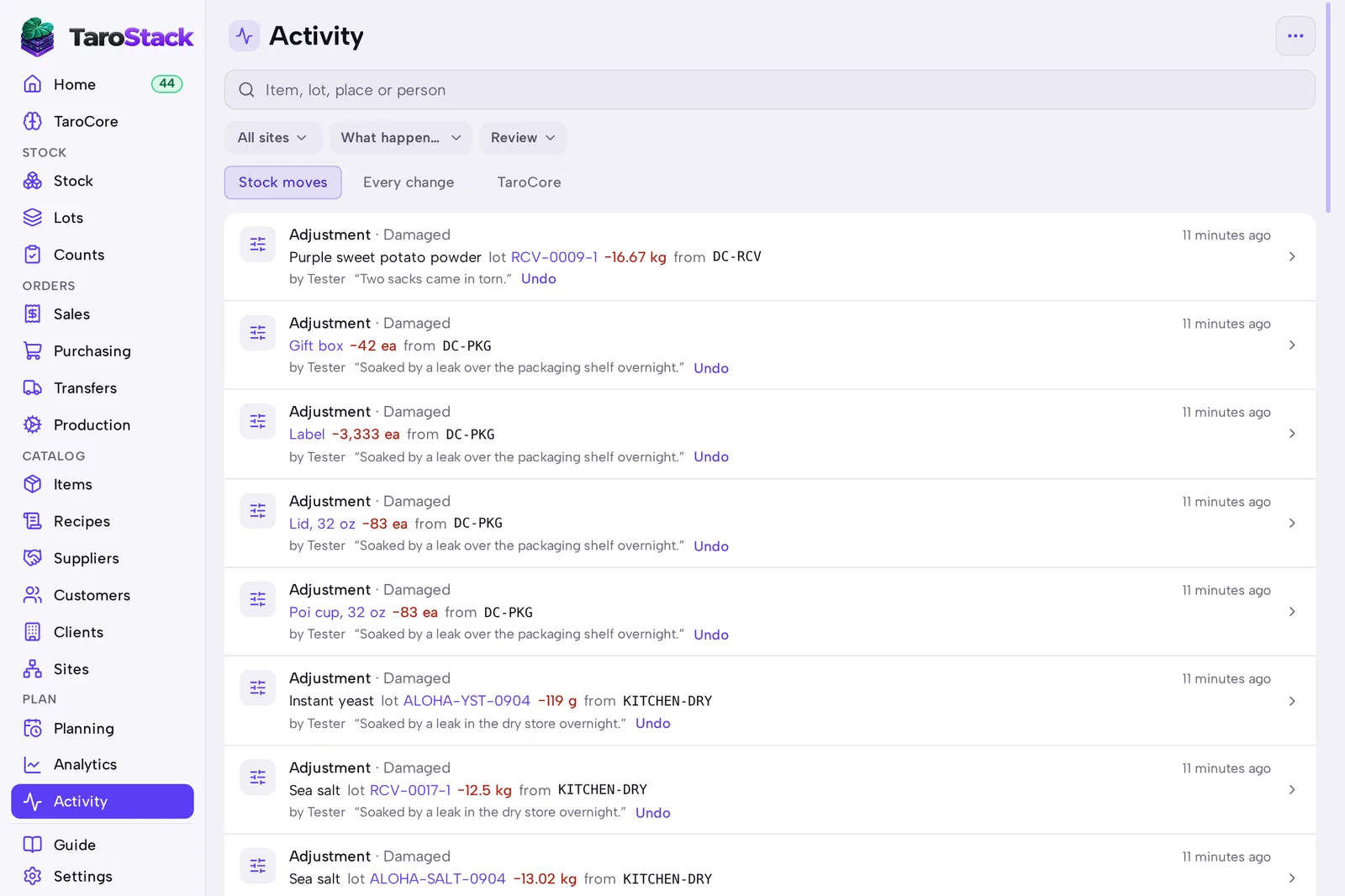
What you should see
Each line names the record, the amount, the place and the person. After Undo, the original line stays and a reversal appears beside it.
Good to know
Nothing is ever deleted from the record. A correction is a new line.
A person sees activity only for the sites they work at.