

Production planning
See what to make this week, and turn a suggestion into a planned batch.
What it does
Planning works out what you need to make, buy and move, from your orders, forecasts and reorder points. A suggestion becomes a real order when you accept it.
When to use it
Open it at the start of the week, or when orders change.
Before you start
The item has a recipe, and there's demand from an order, forecast or reorder point.
Steps
- Open Planning.
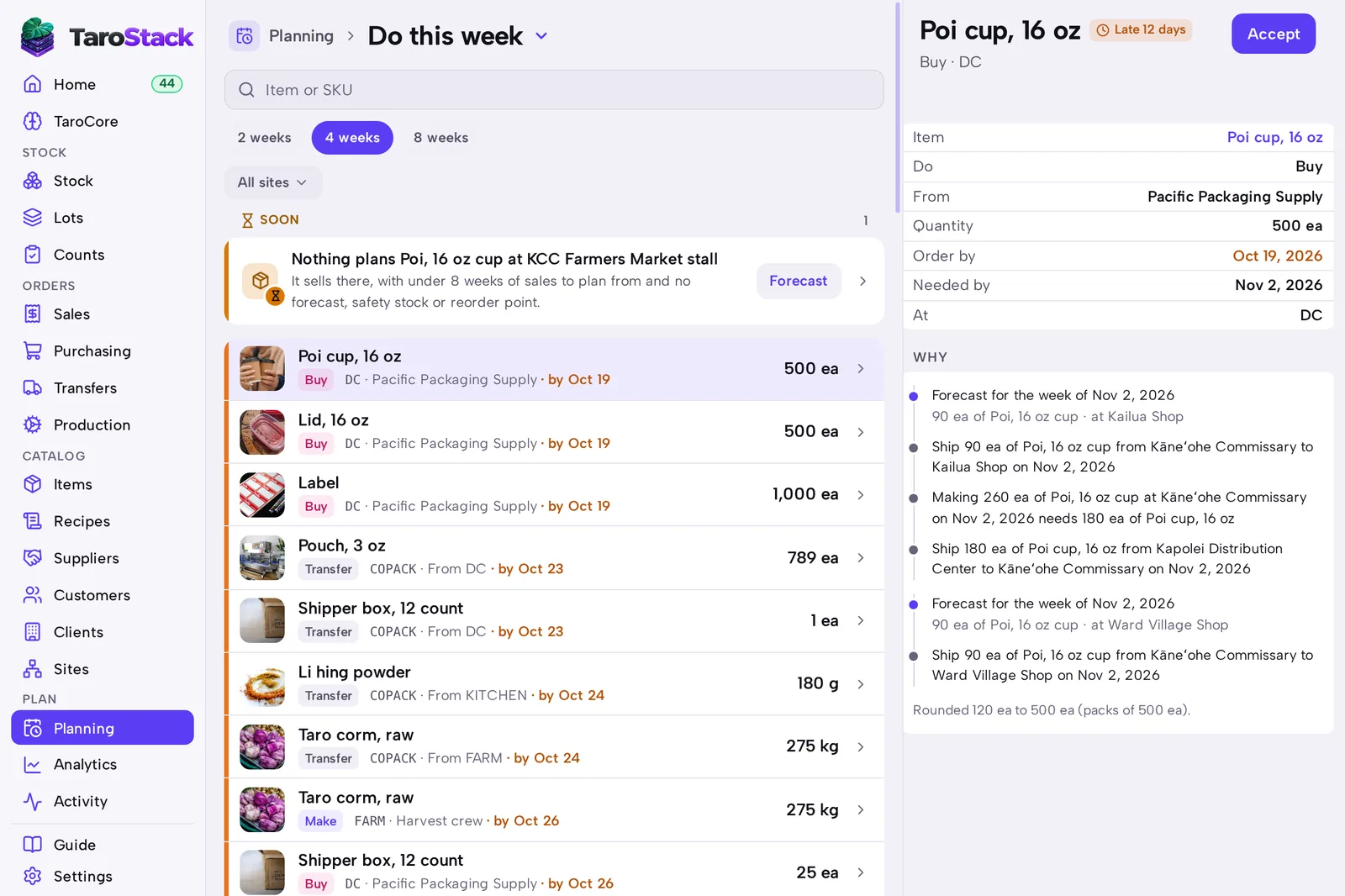
- Choose how far to look: 2 weeks, 4 weeks or 8 weeks.
- Read Do this week. Each row says what to do, where and by when.
- Press a row to open it, with its quantities and dates filled in.
- Change anything you want, then save it.
What you should see
The suggestion becomes a real production order, purchase order or transfer. It's listed on its own page, and it leaves Do this week.
Good to know
Ignoring a suggestion costs nothing. TaroStack works the plan out again from scratch next time.
Schedule under Planning shows the week's work by day. See Forecasting and planning for how demand is counted.