

Adding your items
Add what you buy, make and sell, one at a time or from a file.
What it does
An item is anything you buy, make, sell or count. Each item has a SKU, a unit it's counted in, and what you use it for.
When to use it
Use it when you're setting up, and whenever a new ingredient, packaging or product arrives.
Before you start
Steps
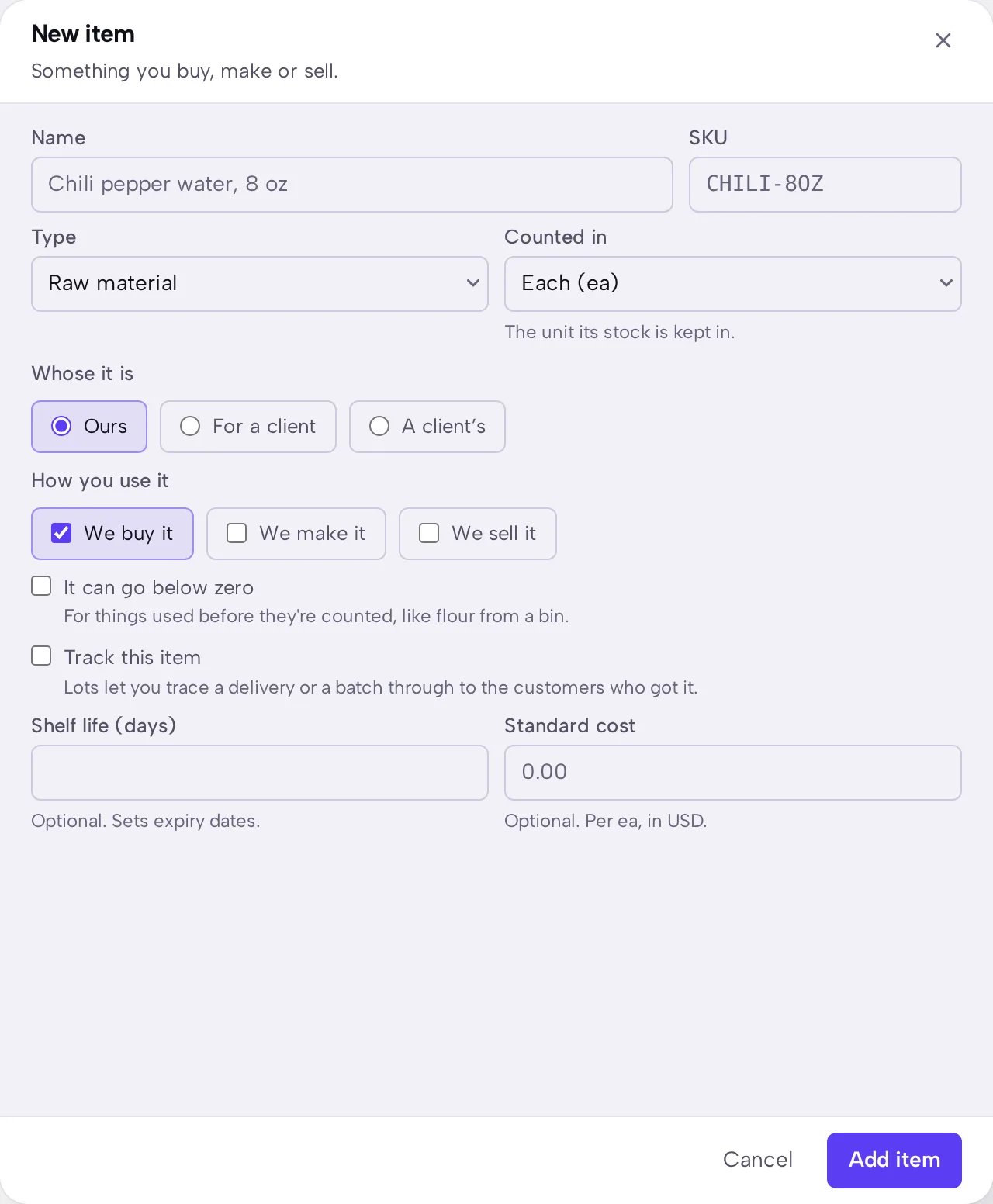
- Open Items, then press New item.
- Enter a name and SKU, then choose its type and the unit it's counted in.
- Say what the item is used for, such as buying, making or selling.
- Press the sheet's save button.
- To add many at once, press More on Items and import a spreadsheet. You check the preview before anything is saved.
What you should see
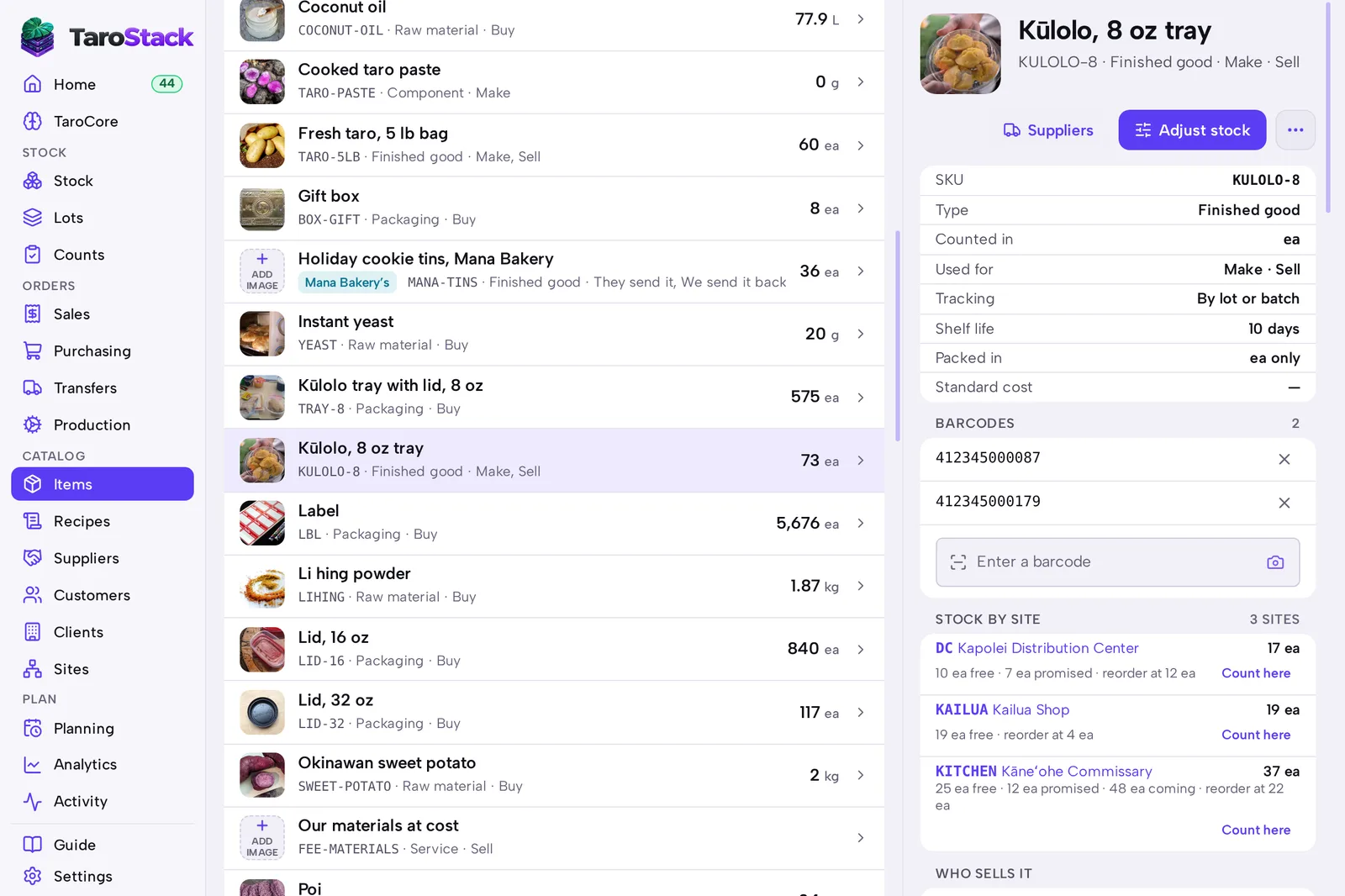
The item appears in Items with its SKU and type. Its page shows where stock sits, who sells it and what recipes make it.
Good to know
A list from another system can be imported as it is. The preview says which export TaroStack read, and what it left out and why.
Adding an item doesn't add stock. Record your first count with Adjusting stock and the reason Opening balance.
Plans limit the number of SKUs. Your count and your limit are on Settings › Billing.