

Sites
Add each building you run, with its kind, hours, routes and who runs it.
What it does
A site is a warehouse, kitchen, farm, shop or maker's building. Each site has its own stock, places, working days and routes to other sites.
When to use it
Add one when you open a new building, or when somebody else starts making goods for you at theirs.
Before you start
Your plan allows the extra site. Settings › Billing shows how many you have and how many are allowed.
Steps
- Open Sites, then press New site.
- Enter its name and a short code, which appears on labels.
- Press Add site.
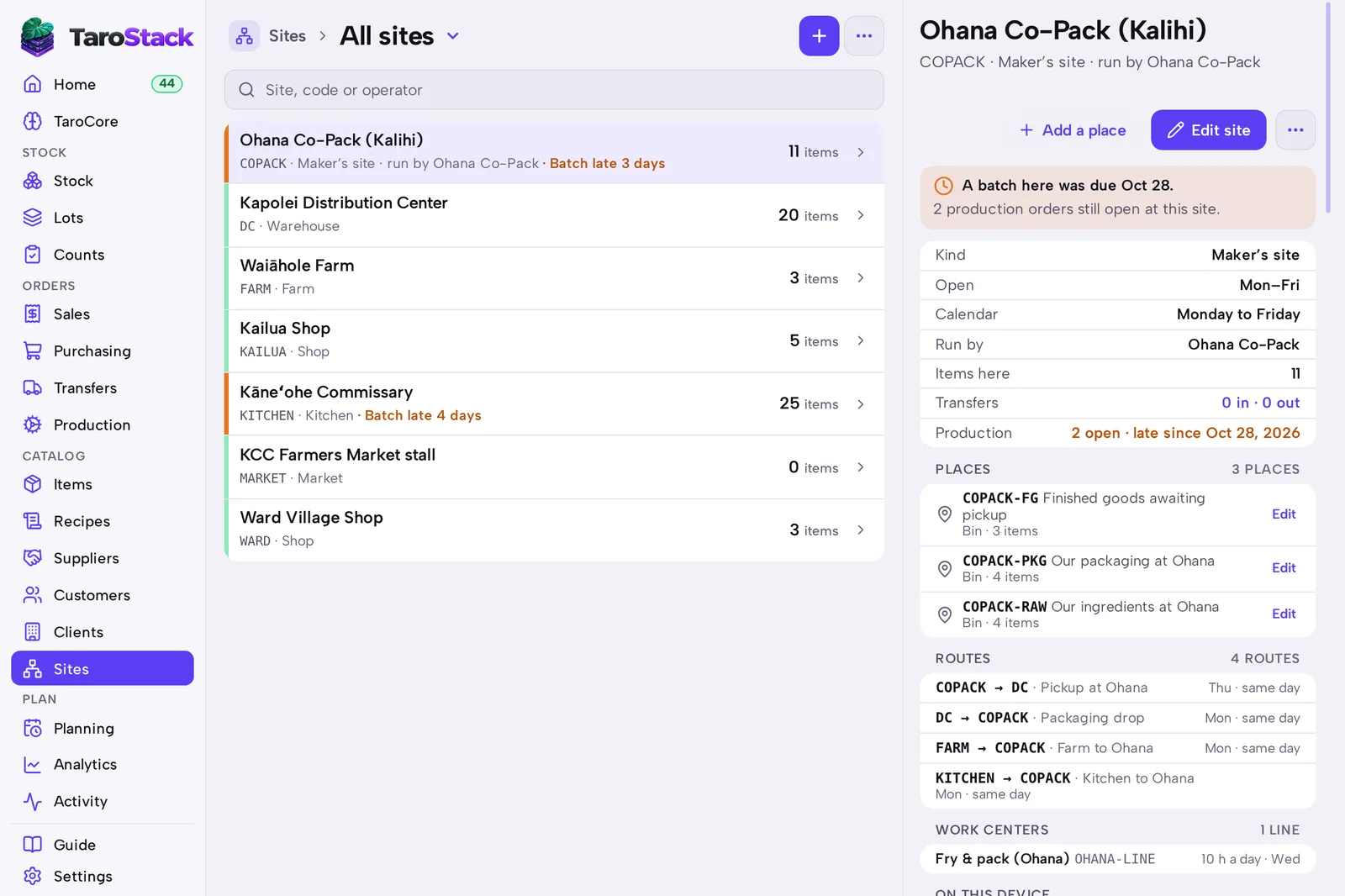
- Open the site and press Edit site to set its kind, operator and calendar.
- Press Add a place for each room or shelf. See Sites and locations.
What you should see
The site is listed in Sites, and it's offered in All sites on every list. Its page shows its places, routes and open work.
Good to know
Routes say which site supplies which, on what days. Planning uses them when it suggests transfers.
Each matched Shopify location is a site. A site you add here stays out of Shopify unless you match a location to it.