

Forecasting and planning
TaroStack plans from your orders, your forecasts and what each site has been selling.
What it does
Planning adds up what you'll need from open orders and forecasts, then suggests what to make, buy and move. Schedule shows the week's work by day.
When to use it
Use it each week, and whenever a big order or a slow month changes things.
Before you start
Items have reorder points, suppliers or recipes. The plan gets better as these fill in.
Steps
- Open Planning and read Do this week.
- Press Forecast to enter what you expect to sell, by week.
- Press a suggestion to open it, filled in, and save it if you agree.
- Open Schedule from the menu beside the title to see the week by day.
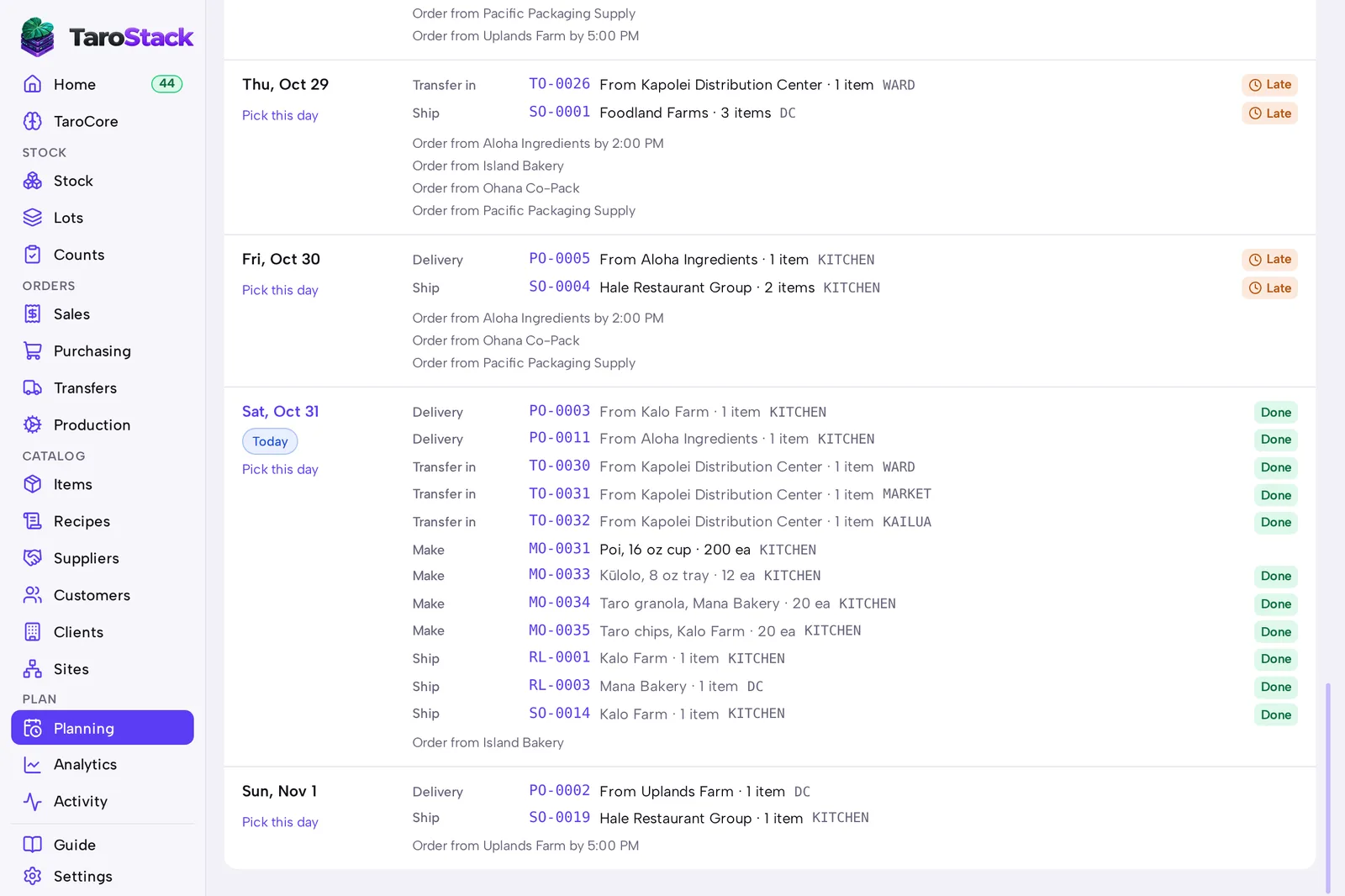
What you should see
Saved suggestions become real orders, and they leave the list. Schedule lists deliveries, batches, transfers and orders on their days.
Good to know
Forecasts don't double count. With a forecast of 100 and orders for 40 in that week, TaroStack plans for 60 more.
Where nobody typed a forecast, TaroStack plans from what the site has been selling.
Planning is included in the Growth plan and above, and in the trial.